> For the complete documentation index, see [llms.txt](https://docs.fabricplan.com/llms.txt). Markdown versions of documentation pages are available by appending `.md` to page URLs; this page is available as [Markdown](https://docs.fabricplan.com/powertable-sheets/how-tos/configure-column-properties/display.md).
# Display
The **Display** section allows you to control how column headers and values are displayed in the table.
To configure display properties:
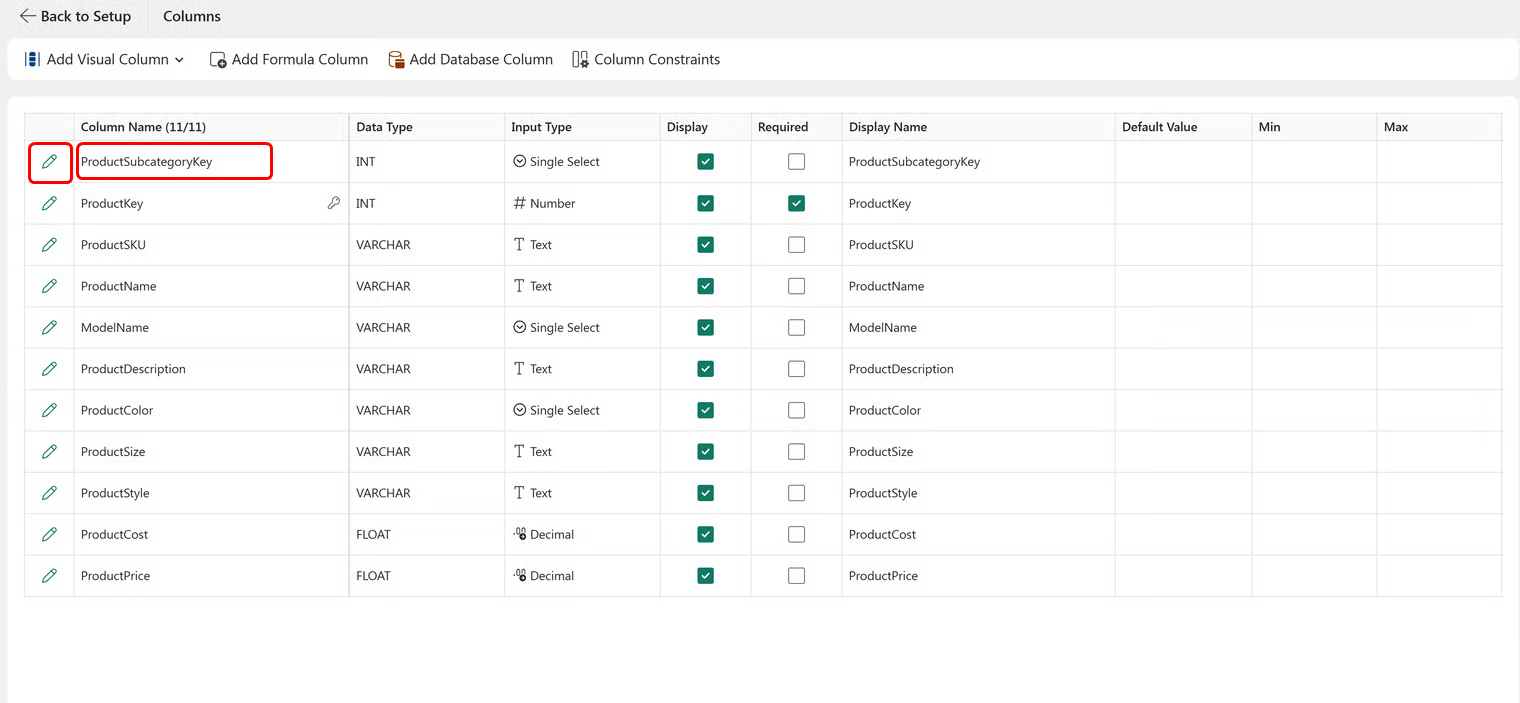
1. Select **Setup** > **Columns**.
2. The column configuration window opens. Select the pencil icon next to the column name or double-click the column name.
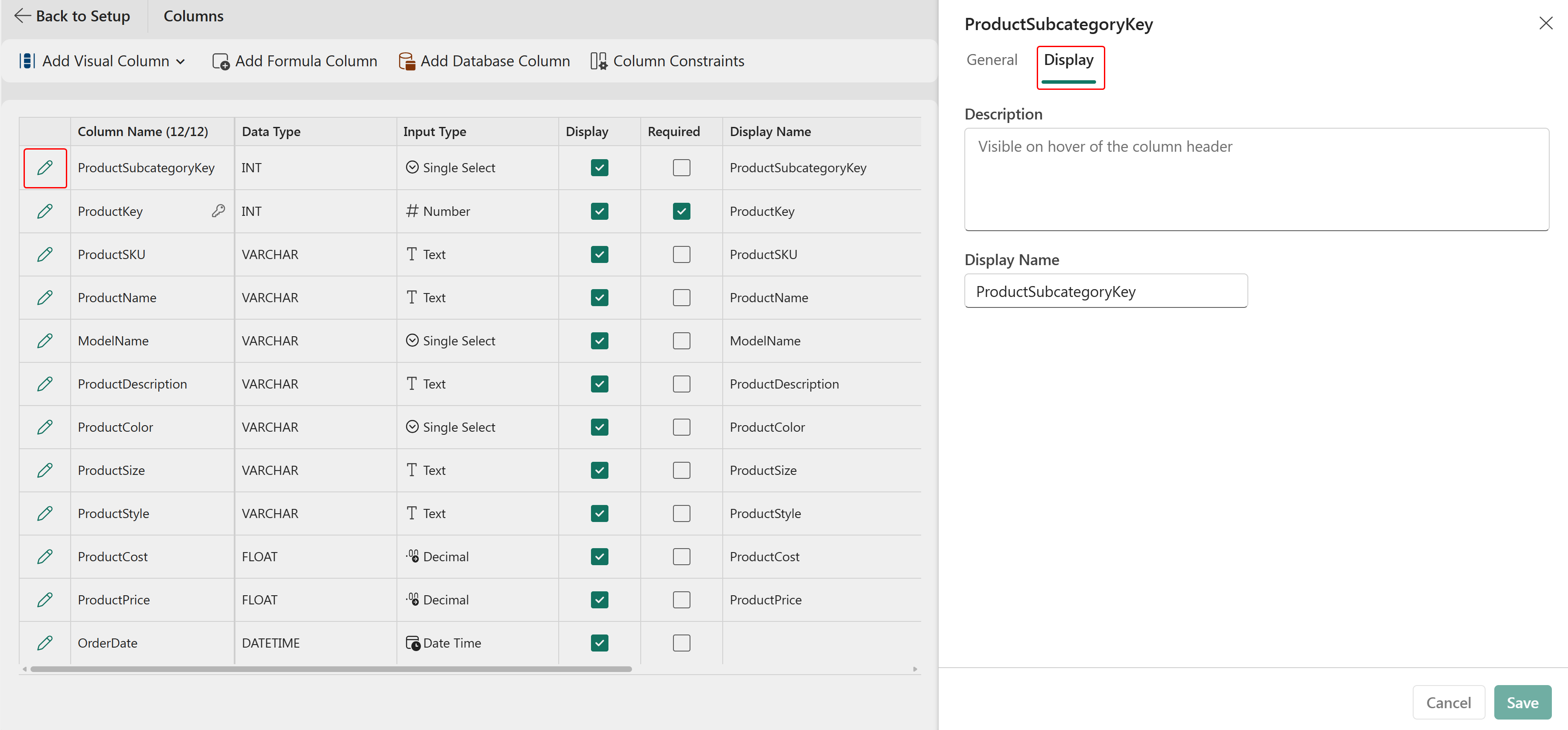
3. Select the **Display** tab in the side panel.
The following display properties are available:
### Format
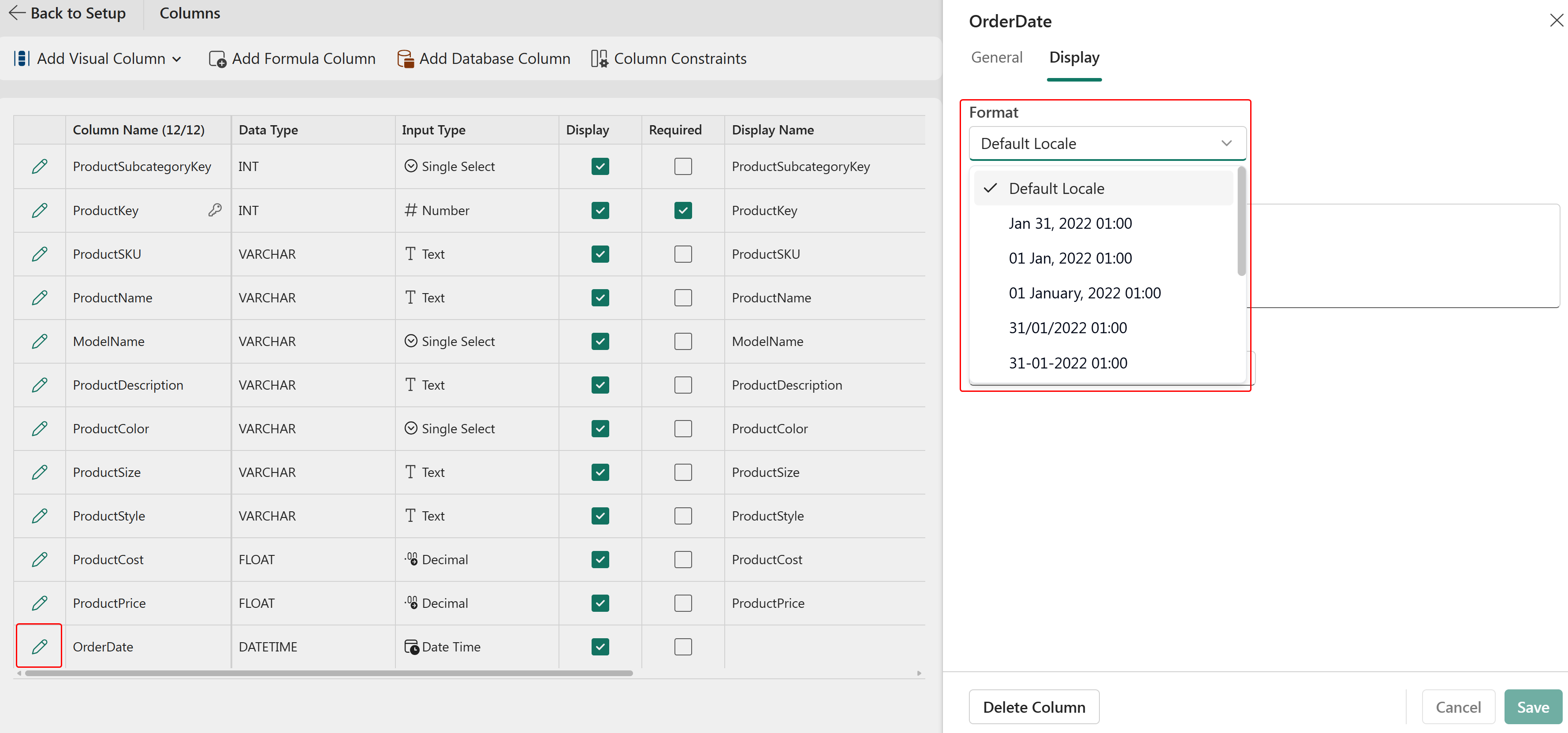
Use the **Format** property to define how date and date-time values are displayed in a column.
You can choose from various date and date-time formats, such as `MM/DD/YYYY`, `DD/MM/YYYY`, `DD MMM, YYYY hh:mm:ss` and so on.
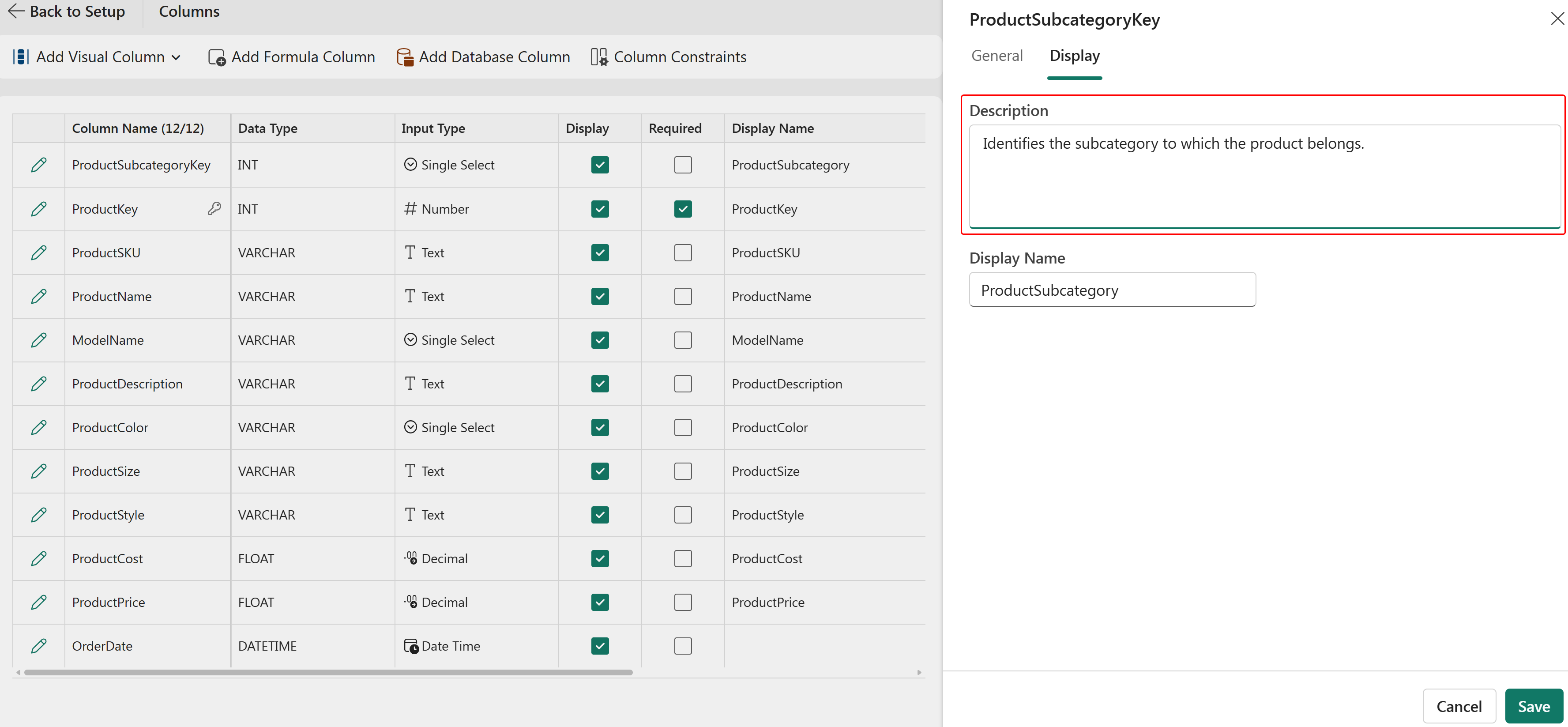
### Display name
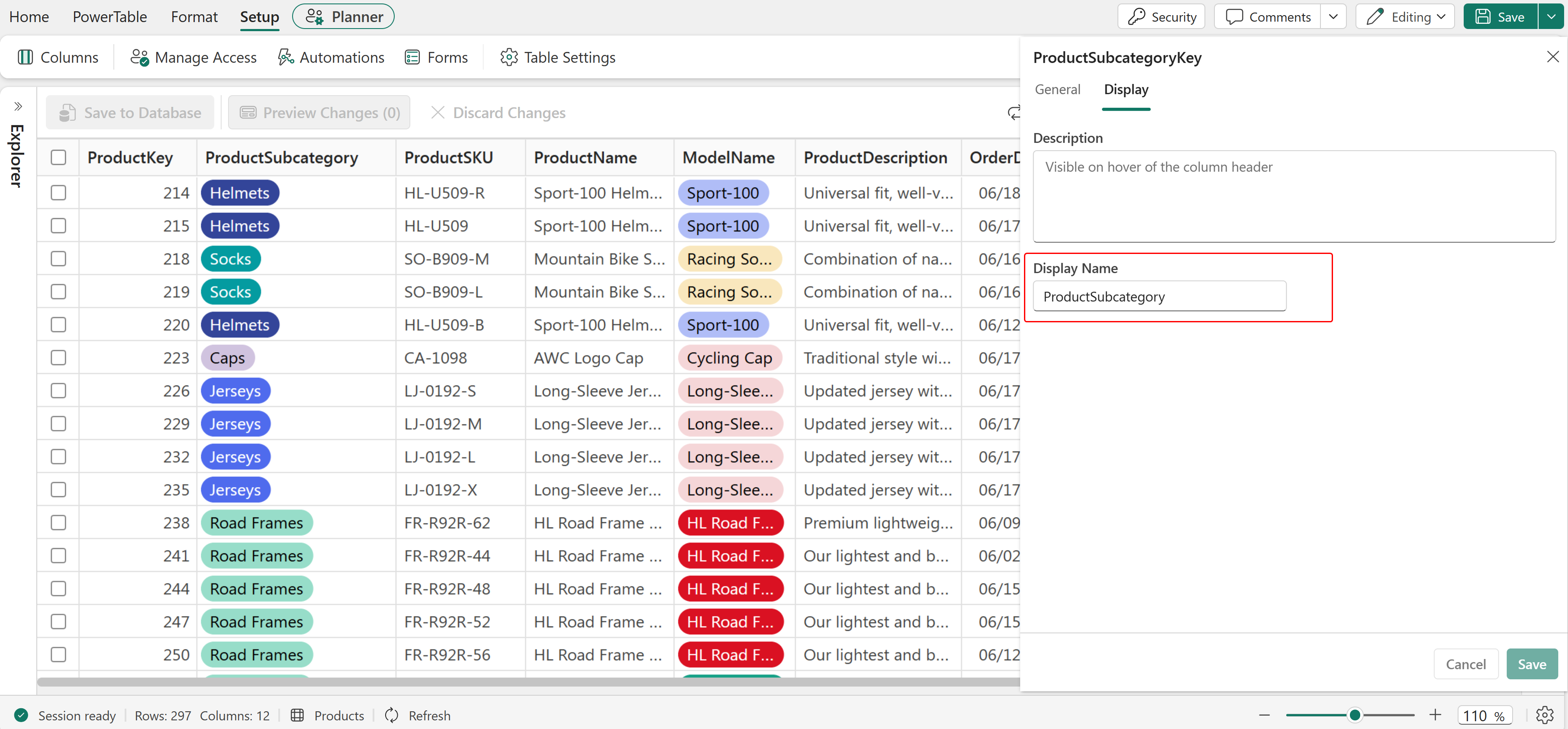
Use the **Display Name** property to specify a user-friendly column header that differs from the actual field name in the database.
For example, the database field *ProductSubcategoryKey* can be displayed as *Product Subcategory* in the table.
### Description
Use the **Description** property to provide additional information about a column.
When a description is configured, an information icon is displayed next to the column header. Users can hover over the icon to view the description.
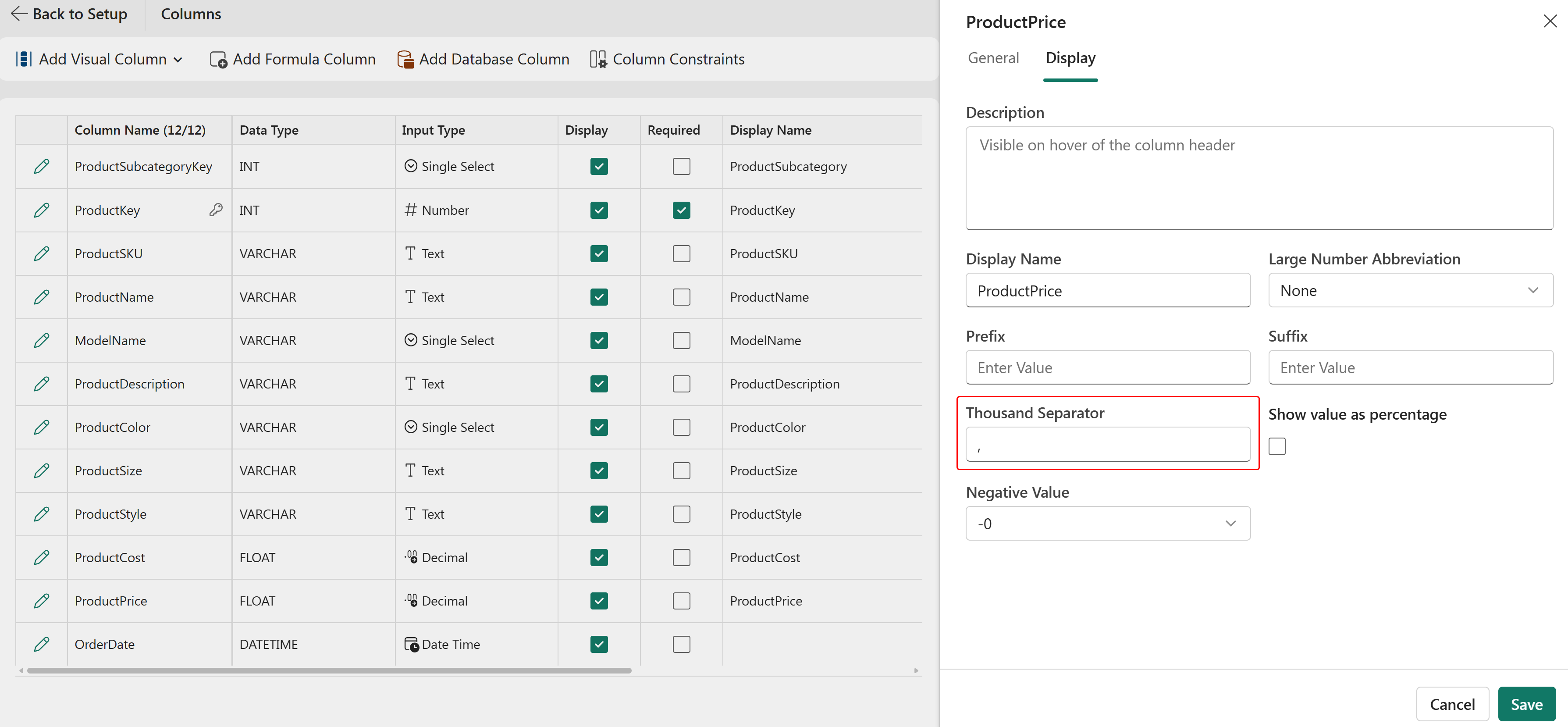
### Thousand separator
Use the **Thousand Separator** property to improve the readability of large numeric values.
You can configure a comma (,), period (.), or space ( ) as the separator for each group of thousands.
### Prefix
Use the **Prefix** property to add up to two characters before numeric or decimal values.
This property is commonly used for currency symbols.
### Suffix
Use the **Suffix** property to add up to two characters after numeric or decimal values.
This property is commonly used for measurement units such as kilograms (kg), centimeters (cm), or percentages (%).
In the next section, we will explore how to select and look up values from a table for a single-select field type.
### Other formatting options
#### **Large Number Abbreviation**
Use the **Large Number Abbreviation** property to display large numeric values in a shortened and more readable format.
The following options are available:
* **None** - Displays the full value without abbreviation.
* **Thousand (K)** - Displays values in thousands. For example, 15,000 is displayed as 15K.
* **Million (M)** - Displays values in millions. For example, 2,500,000 is displayed as 2.5M.
* **Billion (B)** - Displays values in billions. For example, 1,500,000,000 is displayed as 1.5B.
* **Trillion (T)** - Displays values in trillions. For example, 2,000,000,000,000 is displayed as 2T.
This option is useful when displaying large numeric values in reports and dashboards where space is limited.
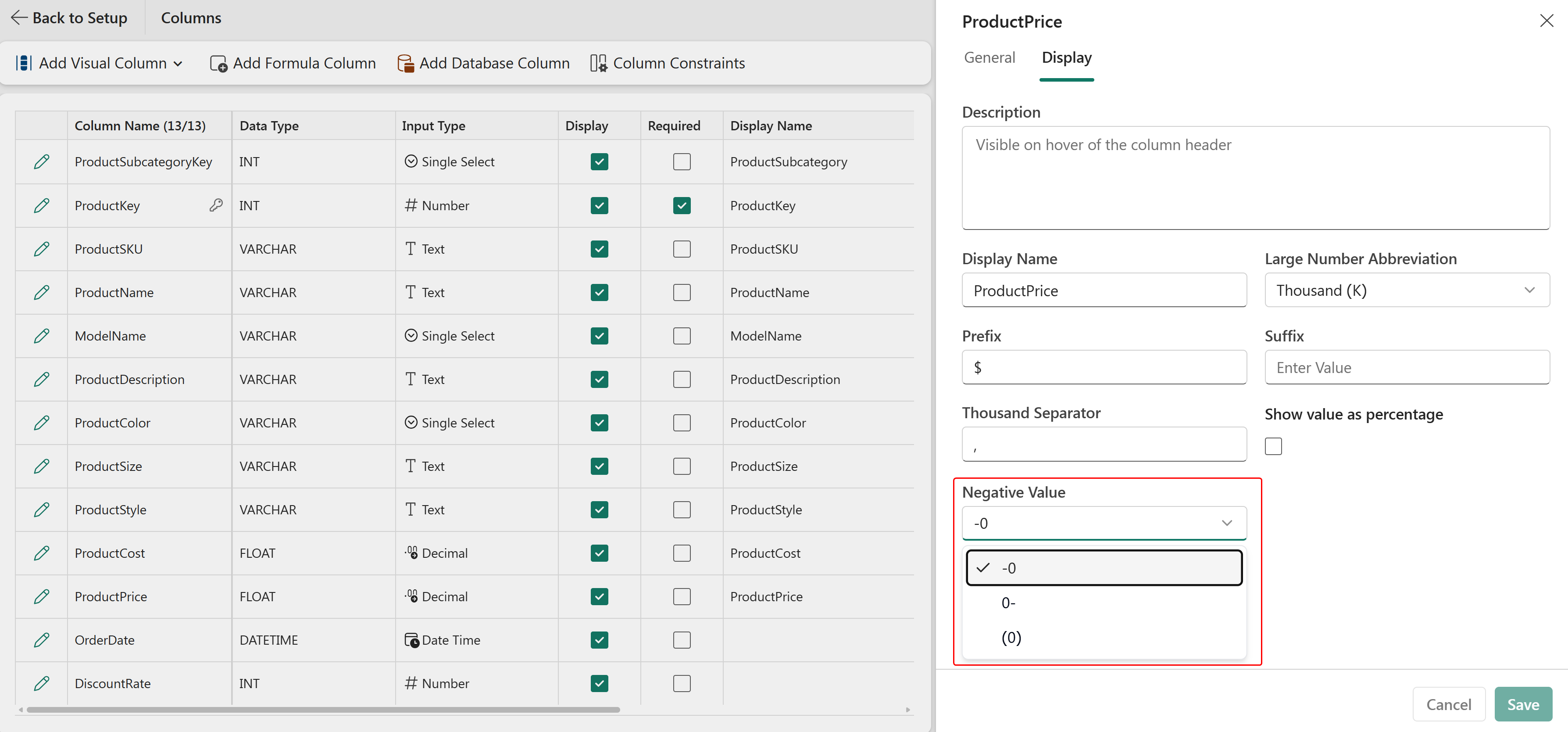
#### **Negative Value**
Use the **Negative Value** property to control how negative numbers are displayed.
The following formats are available:
* **-0** - Displays the negative sign before the value. For example, -500.
* **0-** - Displays the negative sign after the value. For example, 500-.
* **(0)** - Displays negative values within parentheses. For example, (500).
This option helps align number formatting with organizational or accounting standards.
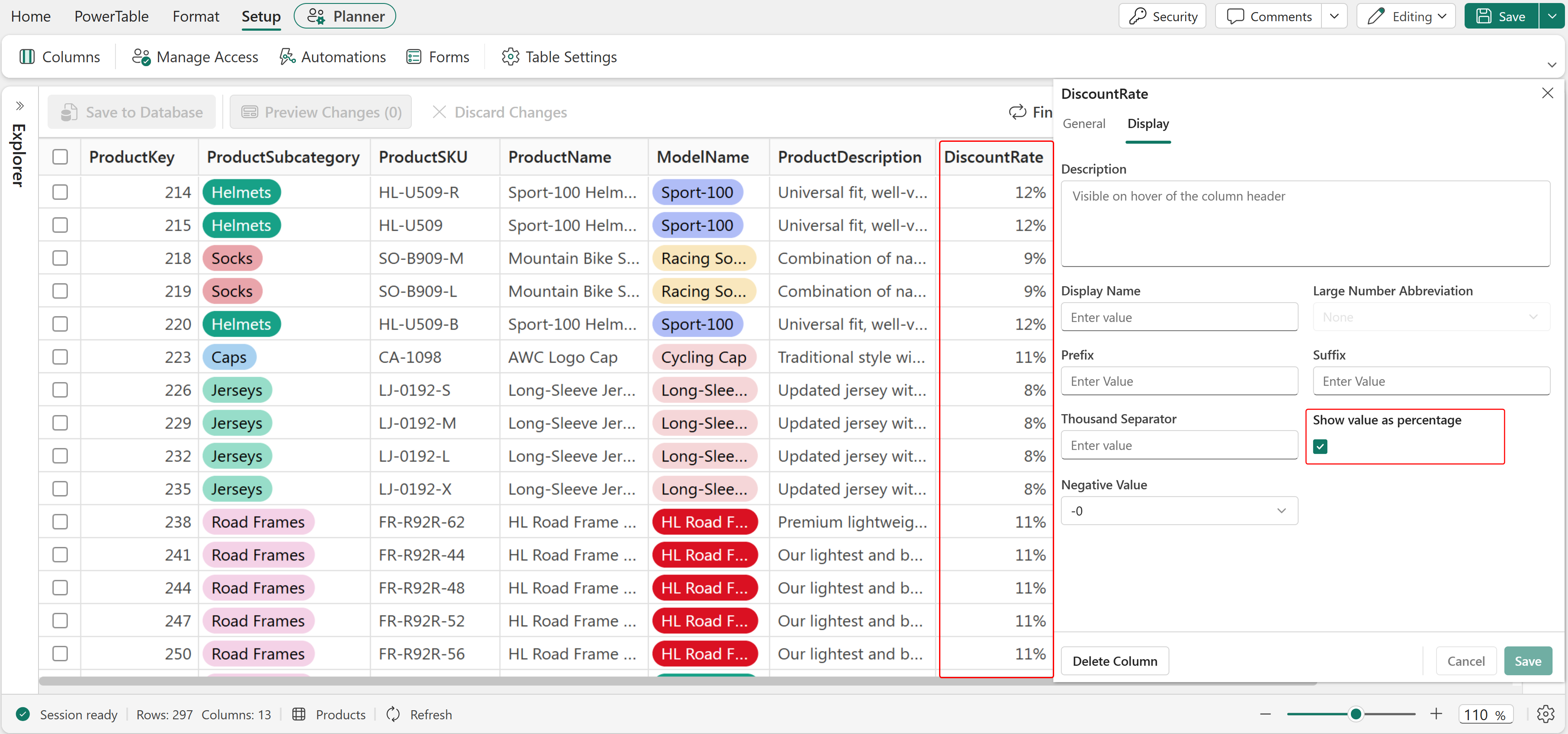
#### **Show value as percentage**
Select the **Show value as percentage** checkbox to display numeric values as percentages.
When enabled, the value is automatically formatted with a percentage symbol (%). For example, a value of 25 is displayed as 25%.
This option is useful for columns that represent rates, ratios, percentages, or other proportional values.
### FAQ
#### If I change the **Display Name**, does the column get renamed in the database?
No. **Display Name** is a presentation label on the **Display** tab. It changes only how the column name appears in the PowerTable sheet and doesn't rename the physical column in the database.
#### What is the **Description** field on the **Display** tab used for?
The **Description** field provides text that appears when a user hovers over the column header.
Use this field to provide:
* Business context.
* A definition of the column.
* Additional information that helps users understand the column.
---
# Agent Instructions
This documentation is published with GitBook. GitBook is the documentation platform designed so that both humans and AI agents can read, navigate, and reason over technical content effectively. Learn more at gitbook.com.
## Querying This Documentation
If you need additional information that is not directly available in this page, you can query the documentation dynamically by asking a question.
Perform an HTTP GET request on the current page URL with the `ask` query parameter, and the optional `goal` query parameter:
```
GET https://docs.fabricplan.com/powertable-sheets/how-tos/configure-column-properties/display.md?ask=&goal=
```
`ask` is the immediate question: it should be specific, self-contained, and written in natural language.
`goal` is optional and describes the broader end goal you are ultimately trying to accomplish on behalf of the user. GitBook uses it to tailor the answer towards what is most useful for that goal.
The response will contain a direct answer to the question and relevant excerpts and sources from the documentation.
Use this mechanism when the answer is not explicitly present in the current page, you need clarification or additional context, or you want to retrieve related documentation sections.